tips-howto
How to Watch the 2026 World Cup on a Smart TV Without Cable
No cable box needed. Here's how to get the 2026 World Cup on your Samsung, LG, or Android Smart TV — what to set up, and what to check before kickoff.
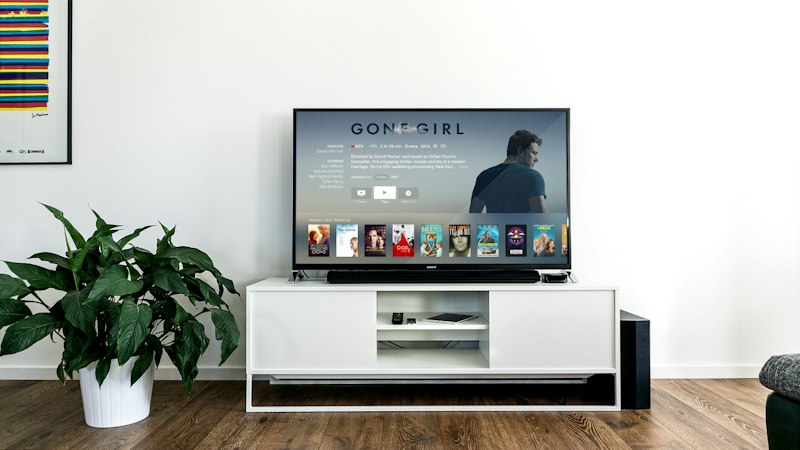
Marinios IPTV gives you access to every 2026 World Cup match live — no satellite dish, no cable contract.
The 2026 World Cup is the biggest one yet: 48 teams, 104 matches, and three host countries — the United States, Canada, and Mexico — running from June 11 to July 19. If you cut the cord a while ago, or never had cable to begin with, the obvious question is how to get all of that onto your living-room TV.
Want to test it before the opening match?
Request a free trial and check that the channels you care about load smoothly on your own Smart TV and connection — well before June 11.
Request a free trial →You have more options than you might think, and most of them skip the long contract. Here's how to get your Smart TV ready before the opening match, and what to check so you're not restarting the router at 3–0 down.
What you need before kickoff
Three things decide whether a live match looks sharp or stutters:
- A reasonably modern Smart TV. Samsung (Tizen), LG (webOS), or an Android/Google TV set. Anything from the last five years or so is usually fine.
- A stable connection. Roughly 15–25 Mbps handles one HD match without drama. For 4K, you want more headroom — and a cable to the TV beats Wi-Fi every time during a busy evening.
- Access to the channels showing the matches in your region. That could be an official broadcaster's app, or a legal IPTV service that carries those channels.
Option 1: Official streaming apps
Depending on where you live, the rights to the World Cup sit with specific broadcasters, and most of them have their own app on Samsung, LG, and Android TV. If you only care about the matches and nothing else, this is the simplest route — install the app, sign in, done.
The downside is fragmentation. Rights can be split across two or three broadcasters, so following every game sometimes means juggling multiple apps and logins. For a one-off tournament that's tolerable. For year-round sport, it adds up.
Option 2: A legal IPTV subscription
This is where a single IPTV service can make life easier. Instead of bouncing between apps, you get a channel list and an on-screen TV guide that feels like the cable box you remember — one place to scroll, one remote.
The key word is legal. A reputable IPTV provider licenses the channels it carries. Before you commit, confirm the channels you actually want are included and that they play cleanly on your setup. A free trial exists precisely so you can check that on your own TV before paying anything.
If you want to compare durations and what's included, the plans page lays it out, and you can see the channel directory on the channels page.
Setting it up on Samsung or LG
The flow is similar across brands. You install a player app from your TV's store (for example IPTV Smarters), choose "Login with Xtream Codes," and enter the details your provider sends you. The app then pulls in the channel list and guide.
We wrote a full walkthrough with the exact button presses in the Smart TV setup guide. It takes most people under ten minutes the first time.
A quick word on the remote
Smart TV remotes aren't built for typing long usernames. If your provider offers an Xtream Codes login (URL, username, password) instead of a long playlist link, use it — it's far less painful than pecking out a URL with the arrow keys.
Test your connection a day early
Most "the stream is broken" panics on match day are really network problems. Do yourself a favour the day before:
- Run a quick speed test on the TV or a device next to it.
- If the TV is far from the router, try an Ethernet cable or move the router closer. A cheap powerline adapter can rescue a back-bedroom TV.
- Restart the router once so it's fresh going into the evening.
If you do hit stutters, our guide on fixing IPTV buffering walks through the fixes in order, quickest first.
Before you subscribe
Sports rights are valuable, which makes the World Cup a magnet for dodgy "watch everything for $5" offers. A few honest checks save you a ruined evening:
- Legitimacy: a real provider doesn't claim to carry every premium channel on earth for pocket change.
- Device compatibility: confirm it works with your specific TV before paying.
- Support: can you reach a human if a channel goes down mid-match?
- Try before you buy: a free trial tells you more than any sales page.
The short version
To watch the 2026 World Cup on a Smart TV without cable: pick either the official broadcaster apps or a single legal IPTV subscription, set up the player a few days early, wire the TV to your router if you can, and run a speed test before kickoff. Sort the connection first and the football takes care of itself.